How to pay for Claude Pro and Max in 2026
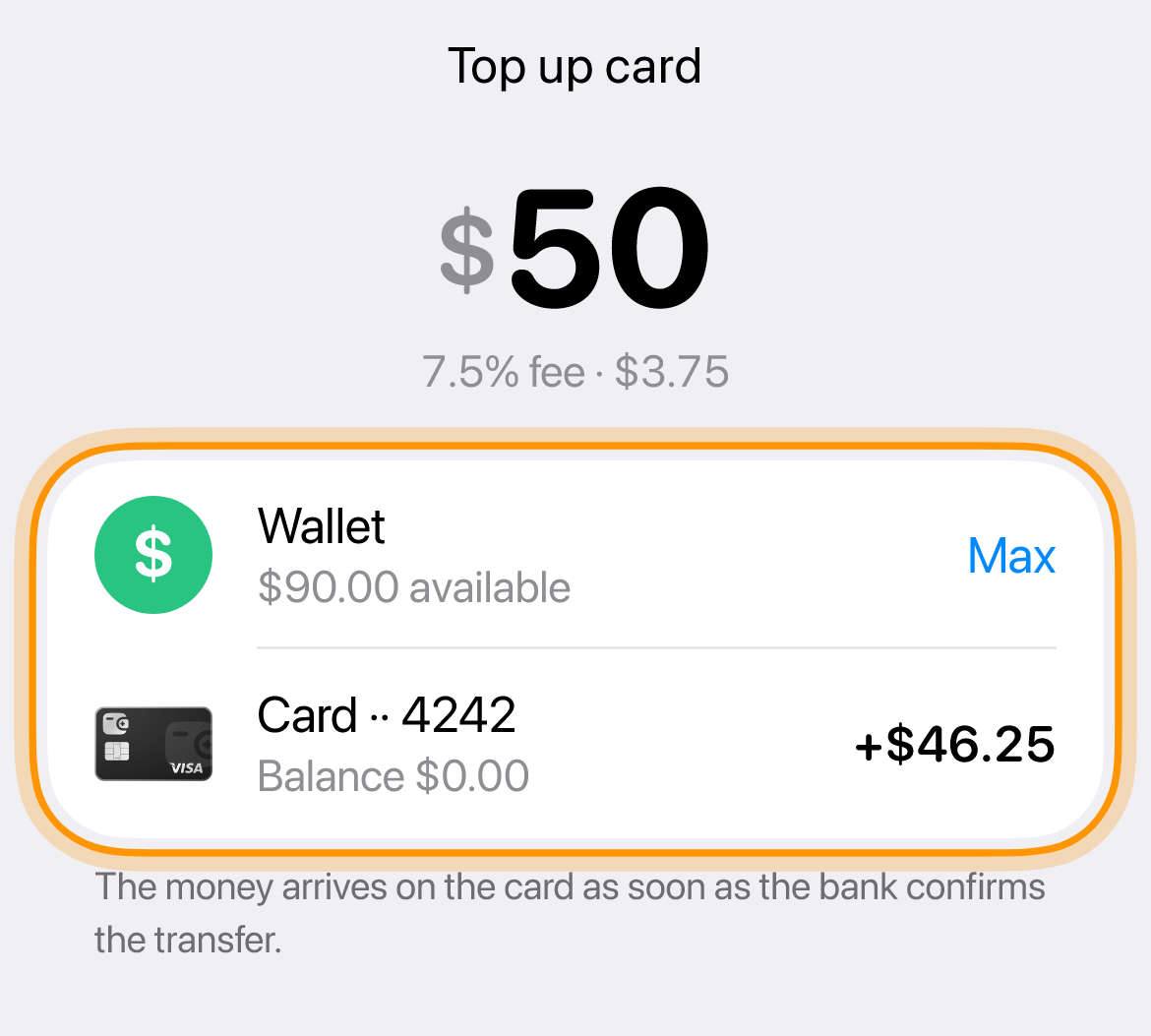
Claude Pro and Max are paid with the Only Wallet European business Visa card in US dollars, and Claude payments go through without issues. $10 to issue the card, once, free crypto top‑ups of the wallet, 7.5% to move money to the card and $0.25 per payment. Top up the card, enter it in Billing and use a US address.
What you need
-
Top up the card
Transfer the plan price with some extra for the $0.25 payment fee.
-
Open Billing on claude.ai
Turn on a VPN before signing in, preferably the USA. Tap your name at the bottom left, then Settings and Billing.
-
Choose a plan
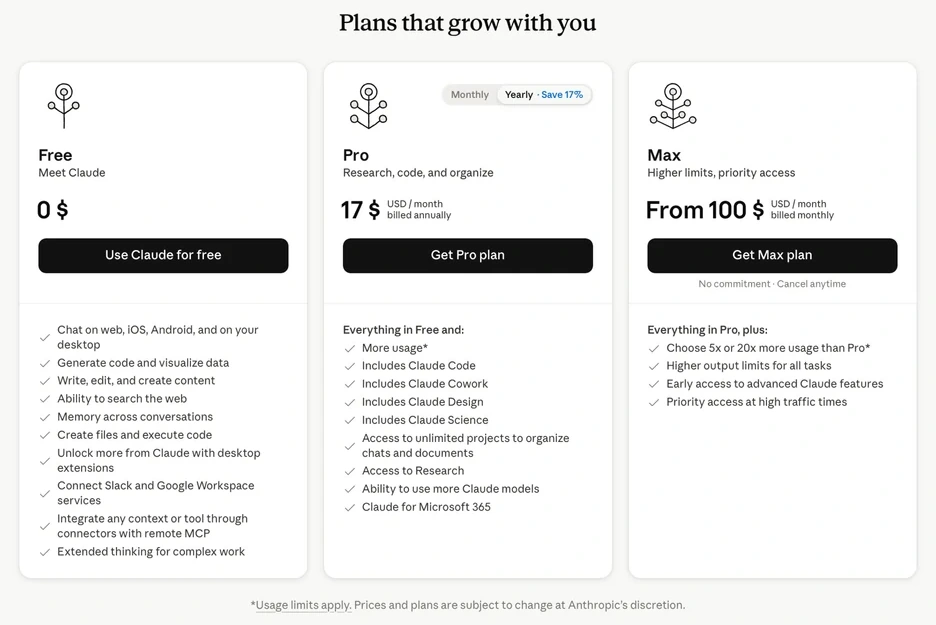
Tap Upgrade plan and choose a plan and period.
-
Enter the card and address
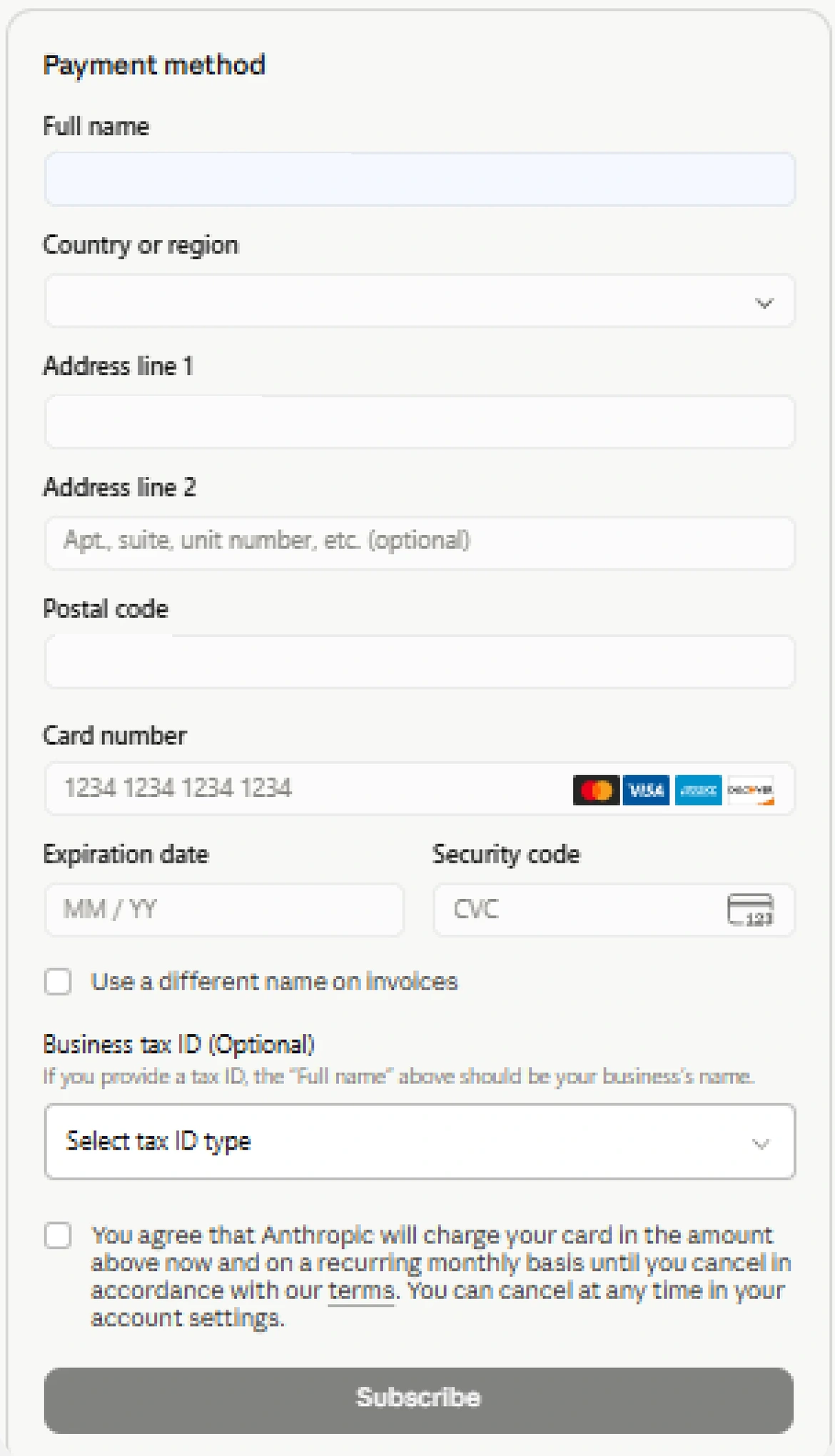
Copy the number, expiry and CVV in “Details”. Type the name in Latin letters. Country United States, a state with no sales tax, so the subscription is cheaper. A ready-made address is in this article in the app, along with a backup Estonia address that suits a VPN in Estonia.
-
Confirm the payment
Tap Subscribe. If the bank asks for a code, it arrives in the chat with the bot. If it asks where to send it, choose email.
How to get Max
Subscribe to Pro first, then upgrade the plan to Max 5x or Max 20x in Billing.
Billing address for the form
Ready-made addresses in the US and Estonia are in this article in the app.
Card and prices
Common questions
Which country to enter if the payment fails
The country of your VPN, ideally with the city of its server. For example, the card is European but the VPN is in Kazakhstan, then choose Kazakhstan.
Is Claude Code included in Pro and Max
Yes, Pro and Max include Claude and Claude Code in one subscription. Install Claude Code and sign in with the same account you use on claude.ai. The chat and Claude Code share the same limits. When the limits run out, upgrade the plan or turn on Usage credits in Settings and Usage. These are prepaid at API rates and billed separately from the subscription. With the ANTHROPIC_API_KEY variable set, Claude Code pays with API credits instead of the subscription.
How to pay for the Claude API
The API is paid with credits. On platform.claude.com open Settings, then Billing and tap Buy credits.