How to top up your wallet
Send USDT or another coin to your address in the app. Deposits are free, and the TON network is the cheapest.
What you need
- Coins on an exchange or in another wallet
-
Open the top‑up
On the home screen tap “Top up”.
-
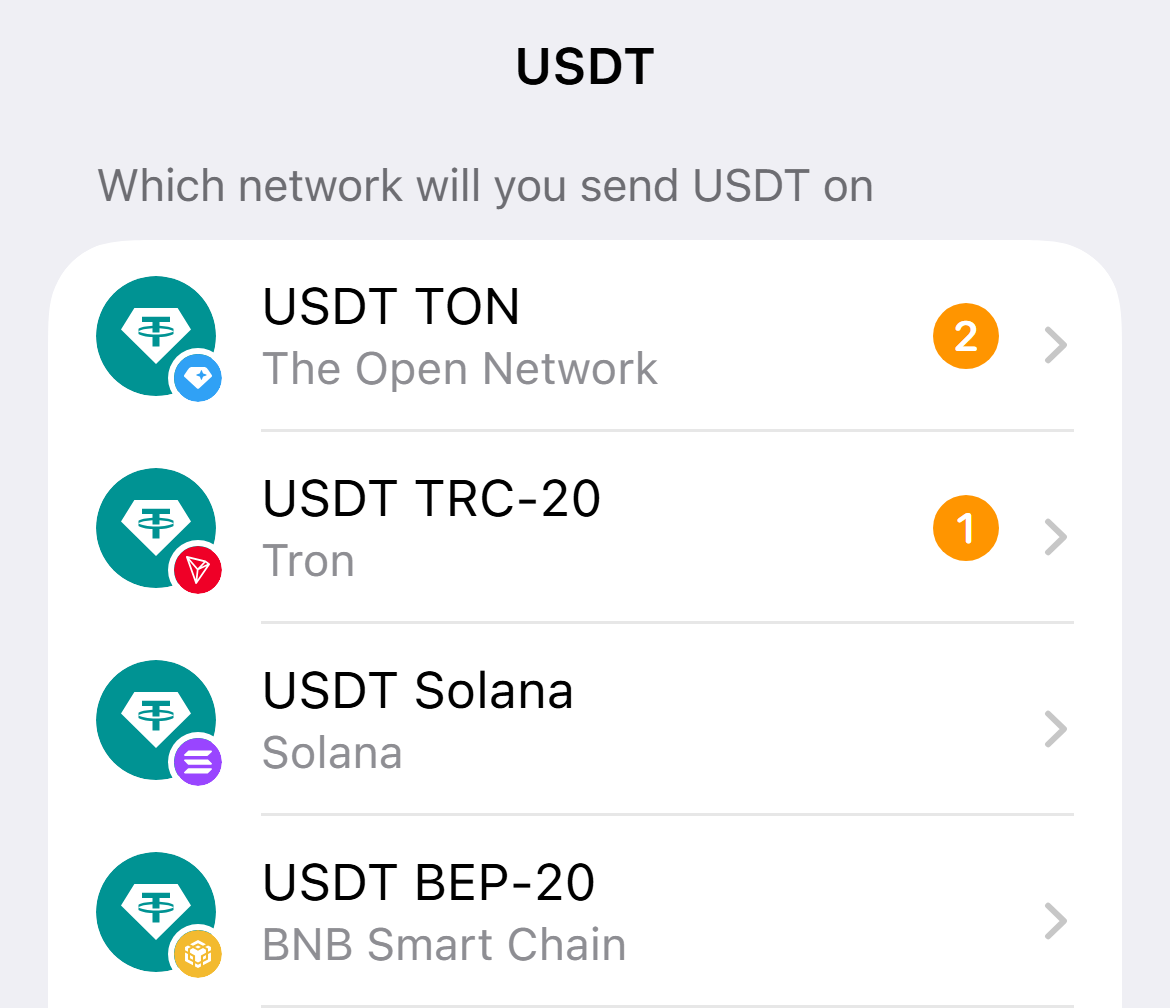
Choose the coin and network
The network must match the one you send from. The TON network is the cheapest.
-
Copy the address
Tap “Copy”. The address is assigned to you and does not change.
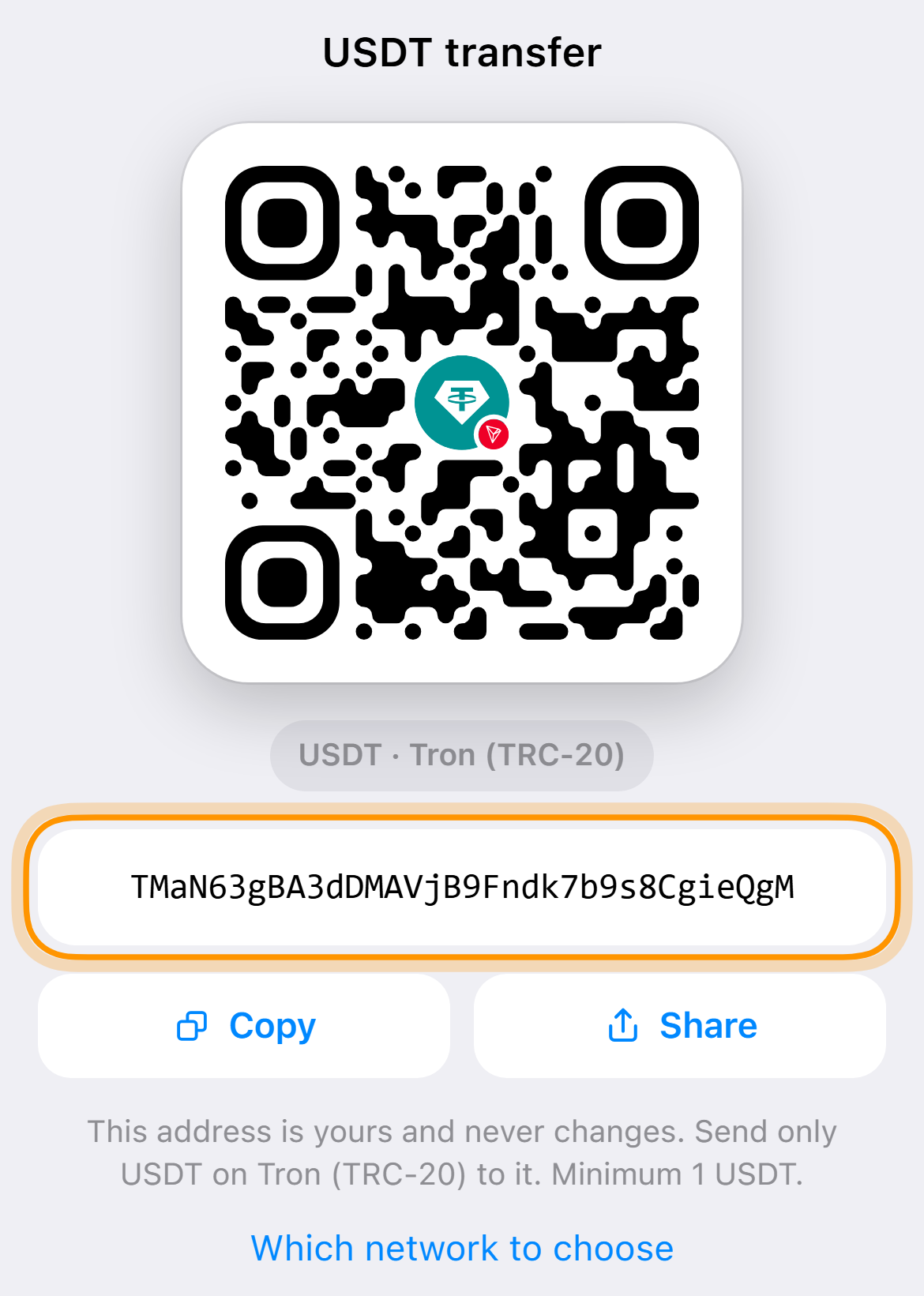
The address in the screenshot is an example -
Send the transfer
On an exchange or in a wallet send the coins to this address and tap “I have sent the transfer”. You can close the app, the bot writes when the money arrives.
A transfer in another network will not arrive at this address. Check the network before sending.
Common questions
How many dollars will arrive
The balance is in dollars. USDT and USDC are credited almost one to one, other coins at the rate at the moment of crediting.
Can I top up with rubles
Only with crypto for now.