How to add a virtual card to Google Pay
The Only Wallet virtual Visa card is added to Google Wallet on Android with its card details, and the confirmation code arrives in the bot chat in Telegram. It is a European business Visa card in US dollars: $10 to issue, once, free crypto top‑ups, 7.5% to move money to the card and $0.25 per payment. Then pay with your phone wherever contactless payments are accepted.
What you need
- An Only Wallet card
- An Android phone with Google Wallet
-
Open the card details
On the “Cards” tab tap “Details”. You will need the number, expiry and CVV in Google Wallet.
-
Open Google Wallet
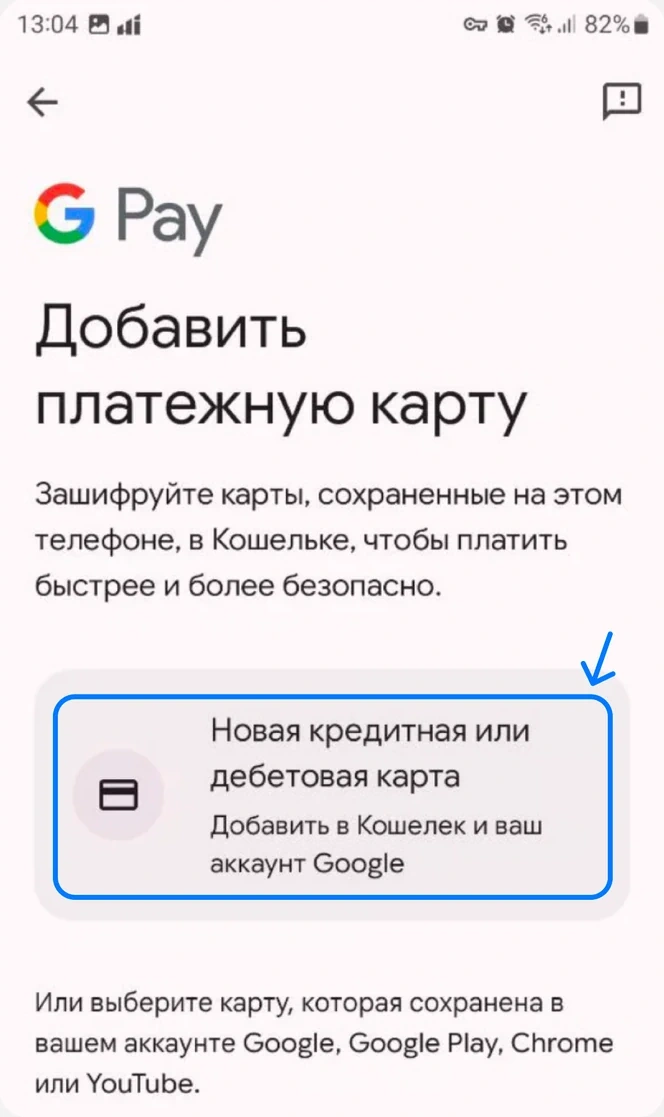
Tap “Add to Wallet”, then “Payment card” and “New credit or debit card”.
-
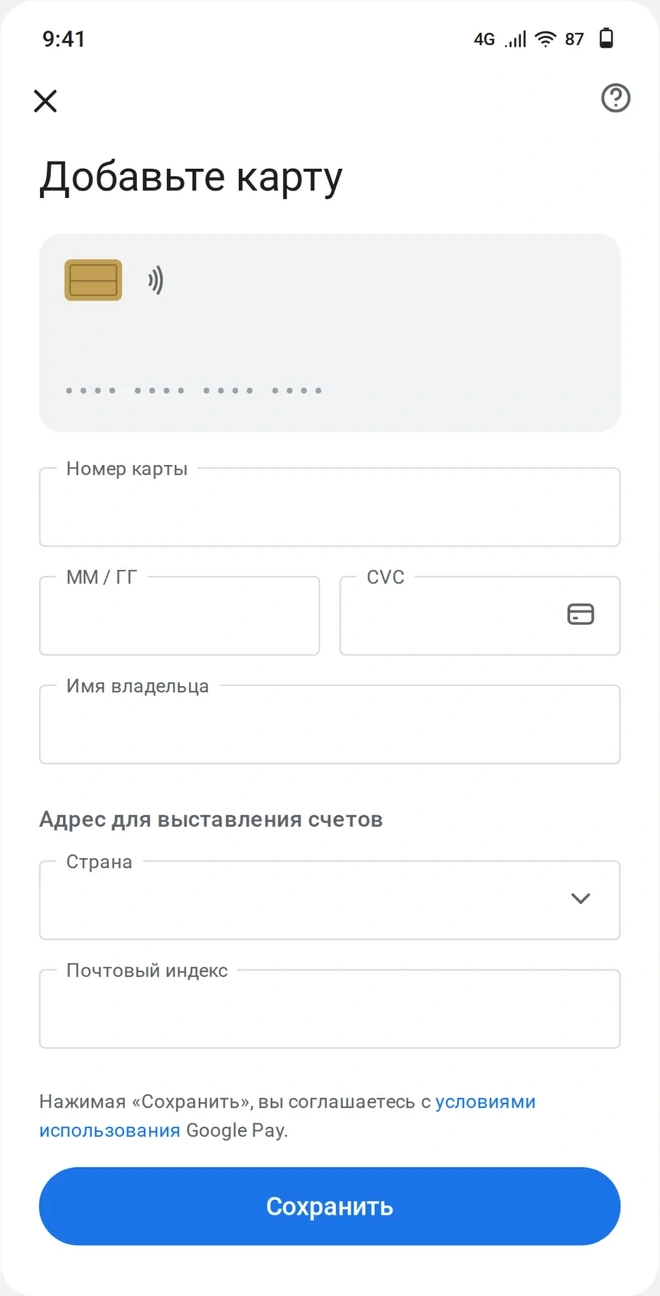
Enter the details manually
Copy the number, expiry and CVV from the app. If the bank asks you to verify the card, choose email, the code arrives in the chat with the bot.
Could not add the card? Write to support and say what Google Wallet showed.
Card and prices
Common questions
Does it work in Russia
No, Google Pay is not available in Russia.