How to top up your card
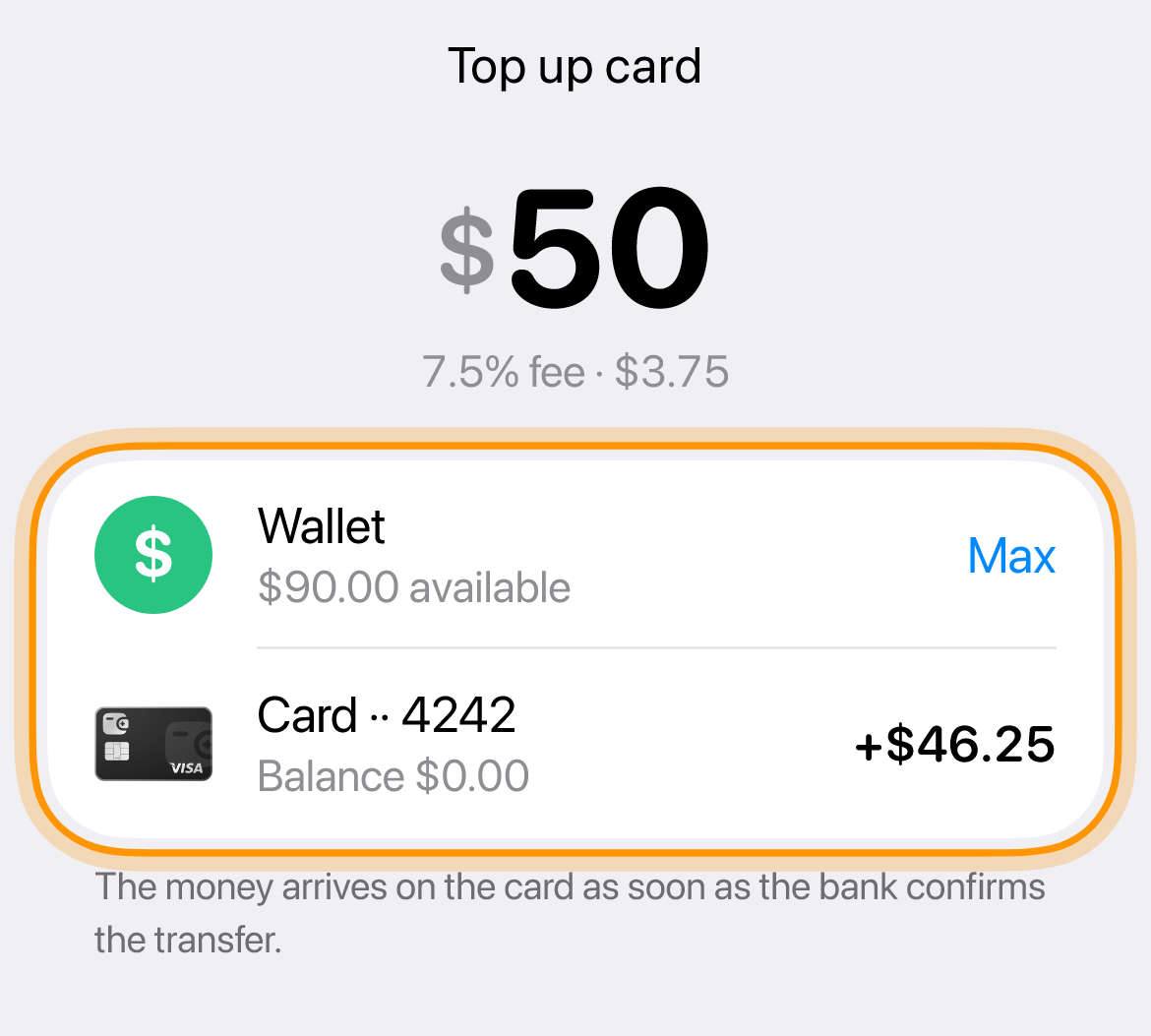
Each card has its own balance, and payments come from it, not from the wallet. Move the purchase amount to the right card with some extra, the fee is 7.5%.
What you need
-
Open the card
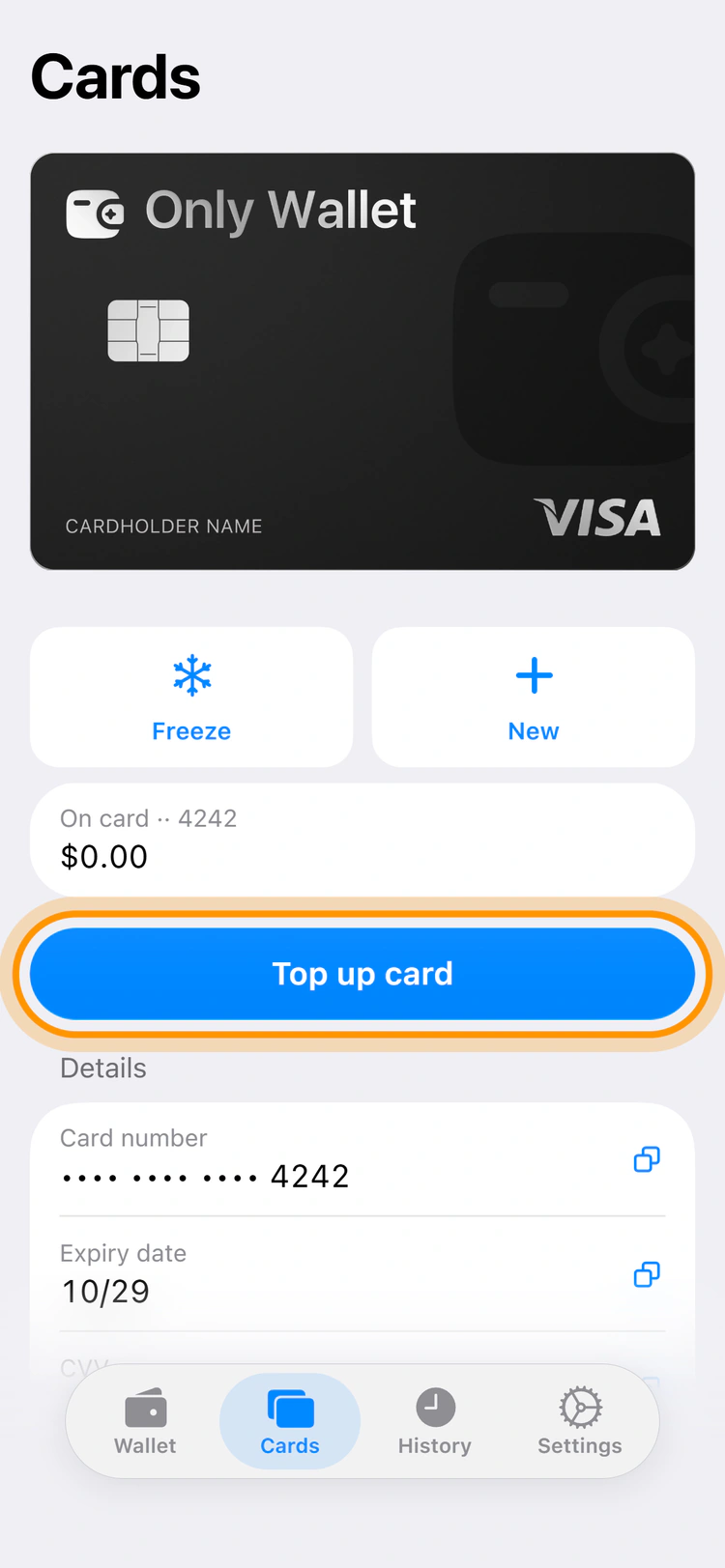
On the “Cards” tab tap the card you are topping up, then “Top up card” at the bottom.
-
Enter the amount
This is the amount from the wallet. Below you can see how much arrives on the card.
-
Confirm the transfer
Tap the button at the bottom. The money arrives as soon as the bank confirms the transfer.
If the price is not in dollars, transfer with some extra, conversion is 2.5%.
Common questions
Can I move money from one card to another
Yes, transfers between your own cards are free. Open the card you are moving money from and choose where to send it.
Can I return money from the card to the wallet
Yes, for free. On the card screen tap «To wallet» and enter the amount. The money arrives in your wallet as soon as the bank confirms the transfer.