How to pay for ChatGPT Plus and Pro in 2026
ChatGPT Plus and Pro are paid with the Only Wallet European business Visa card in US dollars, and ChatGPT payments go through without issues. $10 to issue the card, once, free crypto top‑ups of the wallet, 7.5% to move money to the card and $0.25 per payment. Top up the card, enter it when choosing a plan and use a US address.
What you need
-
Top up the card
Transfer the plan price with some extra for the $0.25 payment fee.
-
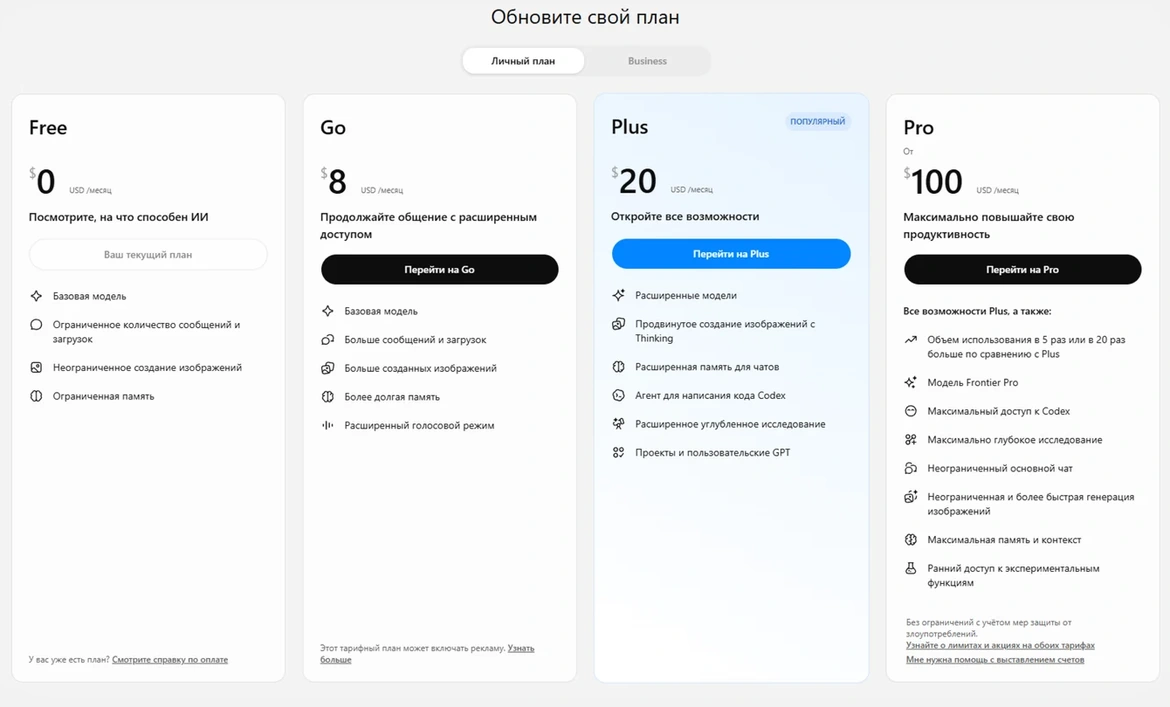
Choose a plan on chatgpt.com
Turn on a VPN before signing in. Tap the profile icon, then “Change plan” and choose Plus or Pro.
-
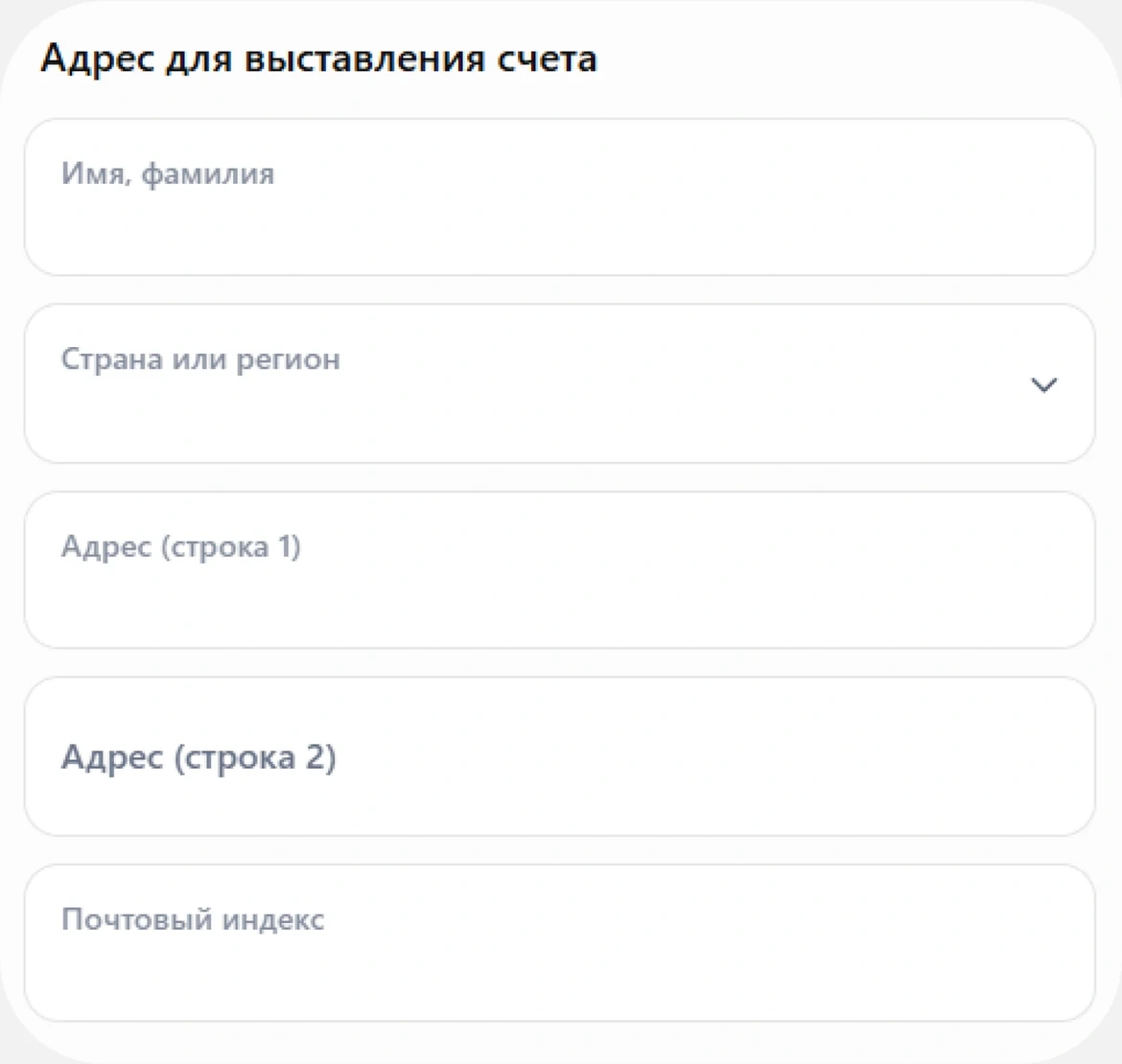
Enter the card and address
Copy the number, expiry and CVV in “Details”, in the form CVV is called CVC. Type the name in Latin letters. Country United States, a state with no sales tax, so the subscription is cheaper. A ready-made address and a backup Estonia one are in this article in the app.
-
Confirm the payment
If the bank asks for a code, it arrives in the chat with the bot. If it asks where to send it, choose email. Do not close the bank window.
Billing address for the form
Ready-made addresses in the US and Estonia are in this article in the app.
Card and prices
Common questions
How to pay for the OpenAI API
On platform.openai.com open Billing and tap Add payment details. Minimum $5. Turn off Use auto‑reload if you do not want automatic charges.